Celebrating one hundred releases
We’re proud to share this release note, marking our 100th production release. From the start, we’ve prioritised delivering small, iterative improvements every few weeks, each one shaped by feedback from clinicians, patients, and project teams.
Thank you to everyone who has engaged with us as we work out what to build, refine, reconsider, and leave alone. Here’s to the next hundred.
An expanded set of specialties
Within Concentric, users are assigned a specialty, primarily to inform the admin application’s usage metrics. Until now, the specialties available were a bespoke list created for our first deployment, and a distinctly surgical one at that. As a result, admin users have often struggled to appropriately assign large cohorts of users, particularly across medical specialties, leading to limited reporting within those specialties. Updating the specialties list has been a priority request from several project teams.
This release aligns Concentric with the national structure for specialties, using main specialty (MSC) and treatment function (TFC) codes, which brings with it a much wider range of options. The new specialties can be viewed using the specialty search within the admin application.

The responsible clinician’s specialty is also passed through as metadata in document integrations, but integrations continue to behave as they have previously. Where reasonable, the new specialties have been mapped to their closest existing equivalent. We are sharing full details of this mapping with project teams separately, along with guidance on updating document integrations to use the new options if desired.
Editing episodes after sharing for remote consent
The ability to edit an episode after it has been locked – either because it has been shared with a patient for remote consent, or because consent has been given – has been one of the most frequent requests from clinicians.
Whilst locking is appropriate in both cases, the inability to make even minor amendments from that point has meant that episodes have frequently needed to be deleted and recreated, causing frustration for clinicians and confusion for patients.
From this release, an episode shared for remote consent, where consent has not yet been given, can be unlocked for editing using the new ‘Edit’ option in its action bar. An entry is added to the episode history, and the patient notified of the change. Once edits are complete, remote consent can be re-enabled by sharing the episode again.
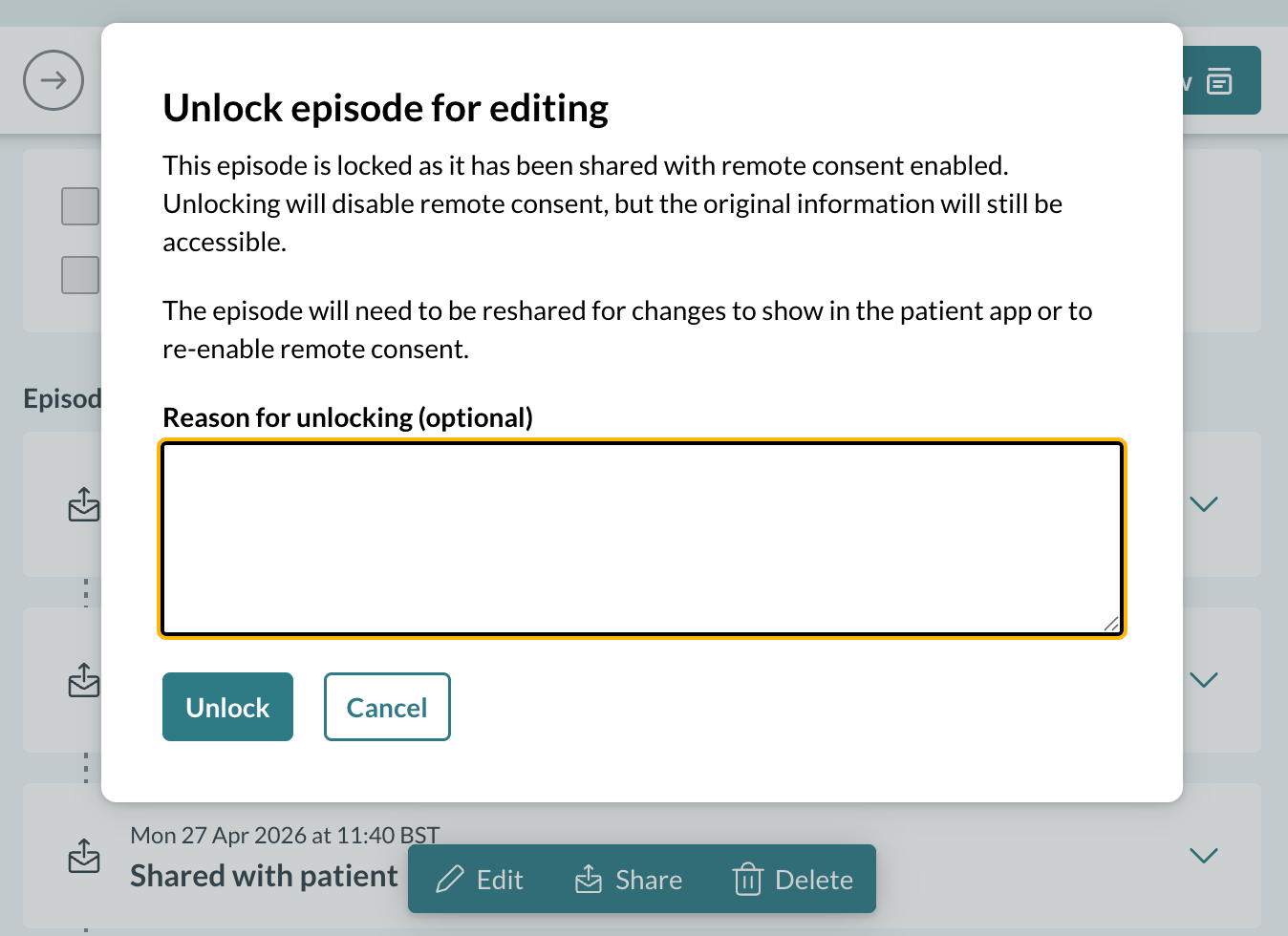
Episodes where consent has already been given remain locked. Allowing those to be edited, with appropriate governance controls, is something we will come back to.